Patch Management Release 3.12
February 9, 2026
AI-Assisted Patch Job Creation with AI Agents 
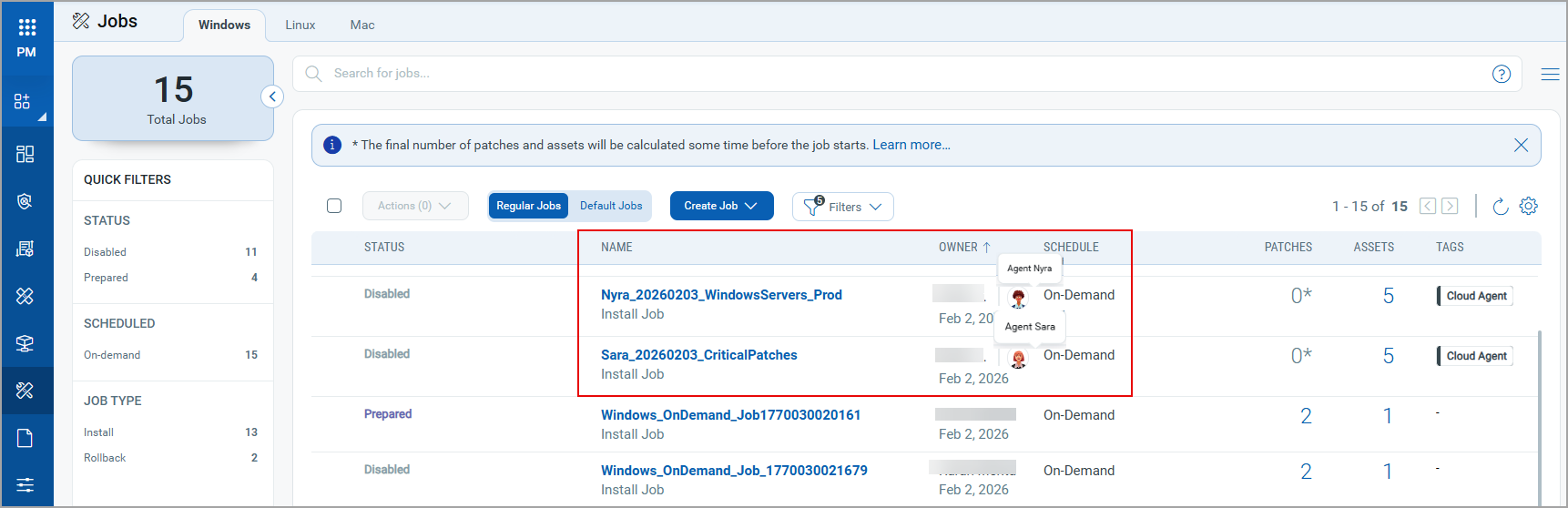
We have introduced an advanced Agentic AI capability where the AI agents Sara and Nyra automatically create tag-based patch deployment jobs in the Enterprise TruRisk Management (ETM) application. These jobs are listed directly on the Patch Management (PM) Job listing page. This enhancement reduces manual effort and helps you accelerate patch deployment.
The AI agents create the following types of jobs:
- Agent Nyra: Creates On-Demand jobs for Windows, Linux and Mac platforms.
- Agent Sara: Creates Patch Tuesday On-Demand jobs for Windows platform.
This feature works with Enterprise TruRisk Management (ETM) version 1.6.1.0.
The following image highlights the patch jobs created by the Agents Nyra and Sara.
Support for Vendor-Acquired MacOS Patches
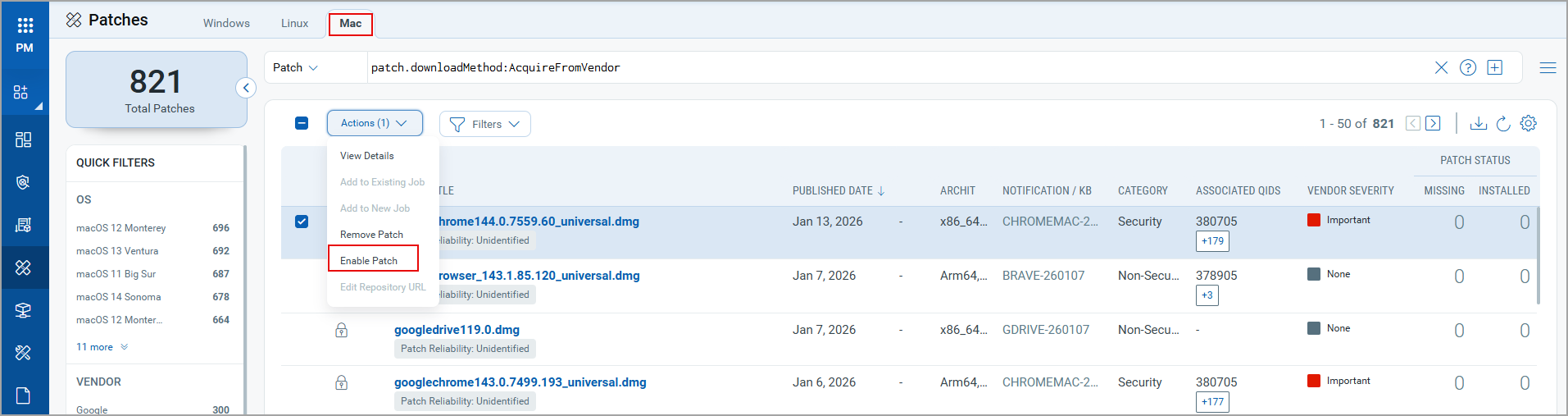
You can now enable macOS patches acquired from vendors and include them in your deployment jobs. This enhancement extends the patching support for the macOS assets. You can also configure the repository URL that the Cloud Agent can use to download the required patch binaries for deployment.
The following image highlights the new option Enable Patch for the macOS patches that are vendor acquired.
Simplified Sharing of Elimination Views 

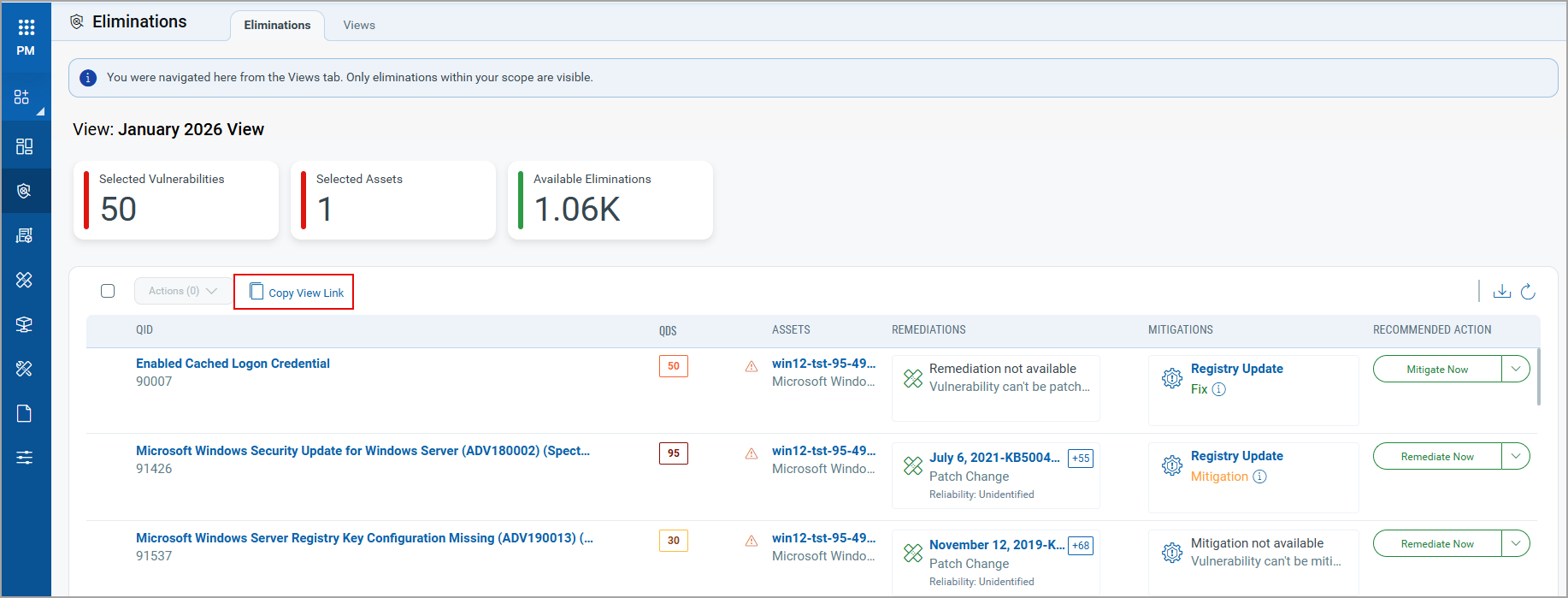
You can now prioritize the vulnerabilities and quickly copy and share an Elimination View using a direct link. This link can be used in your email communication to IT Ops team, automation orchestration or in an ITSM or any ticketing system for tracking purposes. This makes collaboration with assigned users easy and provides instant access to the exact view details without any extra navigation.
On the Views tab, select and open the required view. The details of the view are visible on the Eliminations tab with the new Copy View Link option. The view details page displays the list of QIDs included in the view.
Report Enhancements
IPv6 Address Visibility in Reports
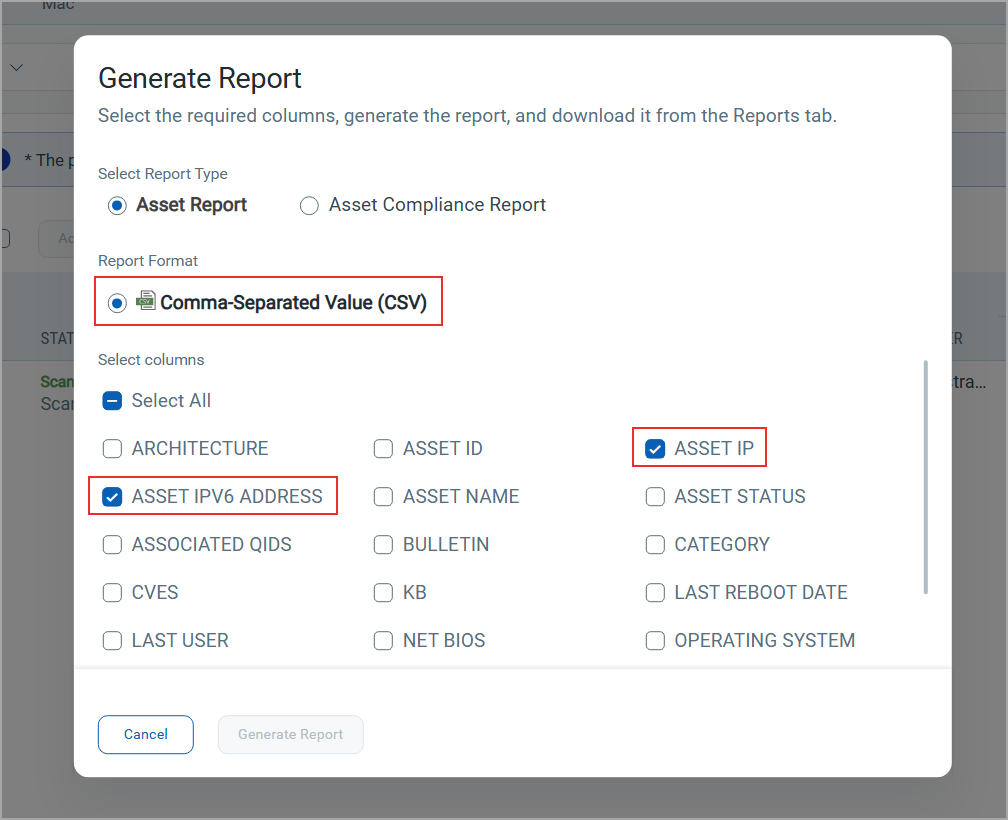
You can now add the Asset IPv6 Address column to the CSV report, making it easier to identify and track assets using IPv6. This enhancement applies to Assets, Job Progress, and Aggregated Job Progress tabs for Windows, Mac, and Linux platforms.
In addition, Assets reports now also include the IPv4 address (ASSET IP) column for improved visibility of network details.
Enhanced Report Download Option
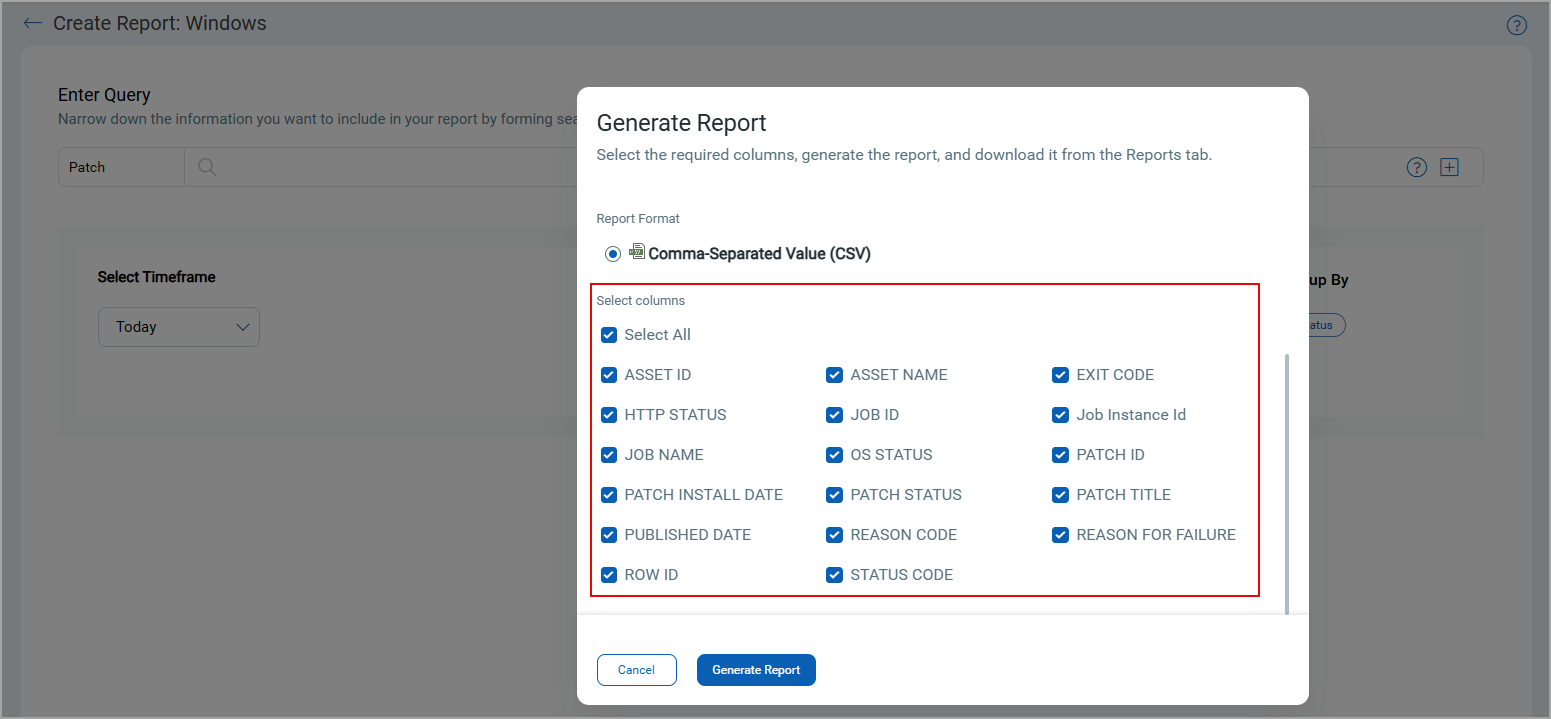
While downloading the report from Reports tab, you can now select the columns that you want to include in the report. This enhancement applies for Windows, Linux and Mac platforms.
When you click Download, the Generate Report window opens. In this window:
-
All columns are pre-selected, you can further modify your selection of columns.
-
You must provide a report name and select at least one column.
Support for Large Software Installer File Uploads
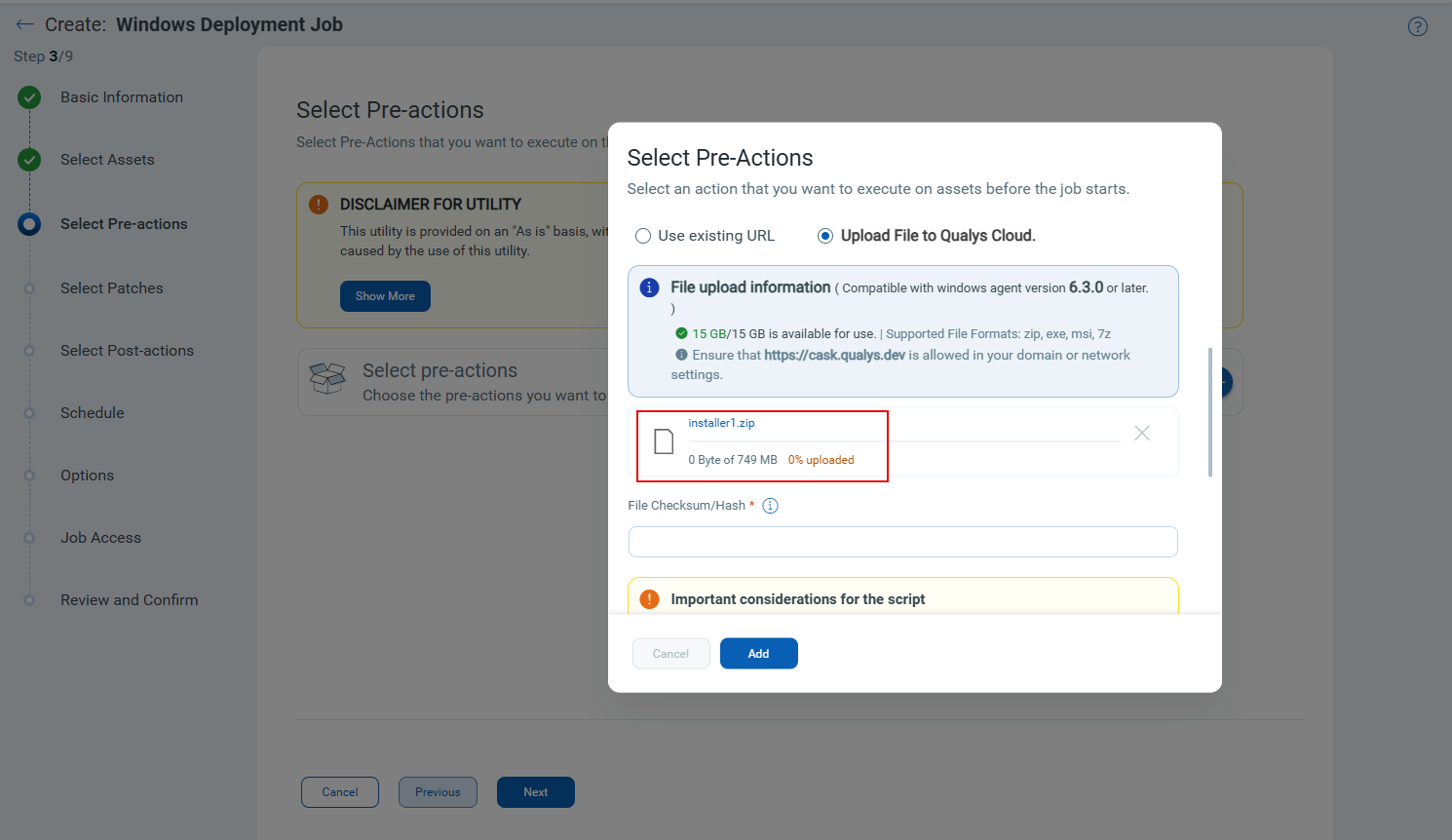
The previous 500 MB limit on uploading software files to Qualys Cloud storage has been removed. You can now upload larger software installer files using the Upload File to Qualys Cloud option when creating patch jobs with Install Software pre- or post-actions, and when enabling vendor-acquired patches.
For files larger than 500 MB size, you must manually enter the file checksum value, as it is not generated automatically.
Add Assets to Mitigation Job from VMDR
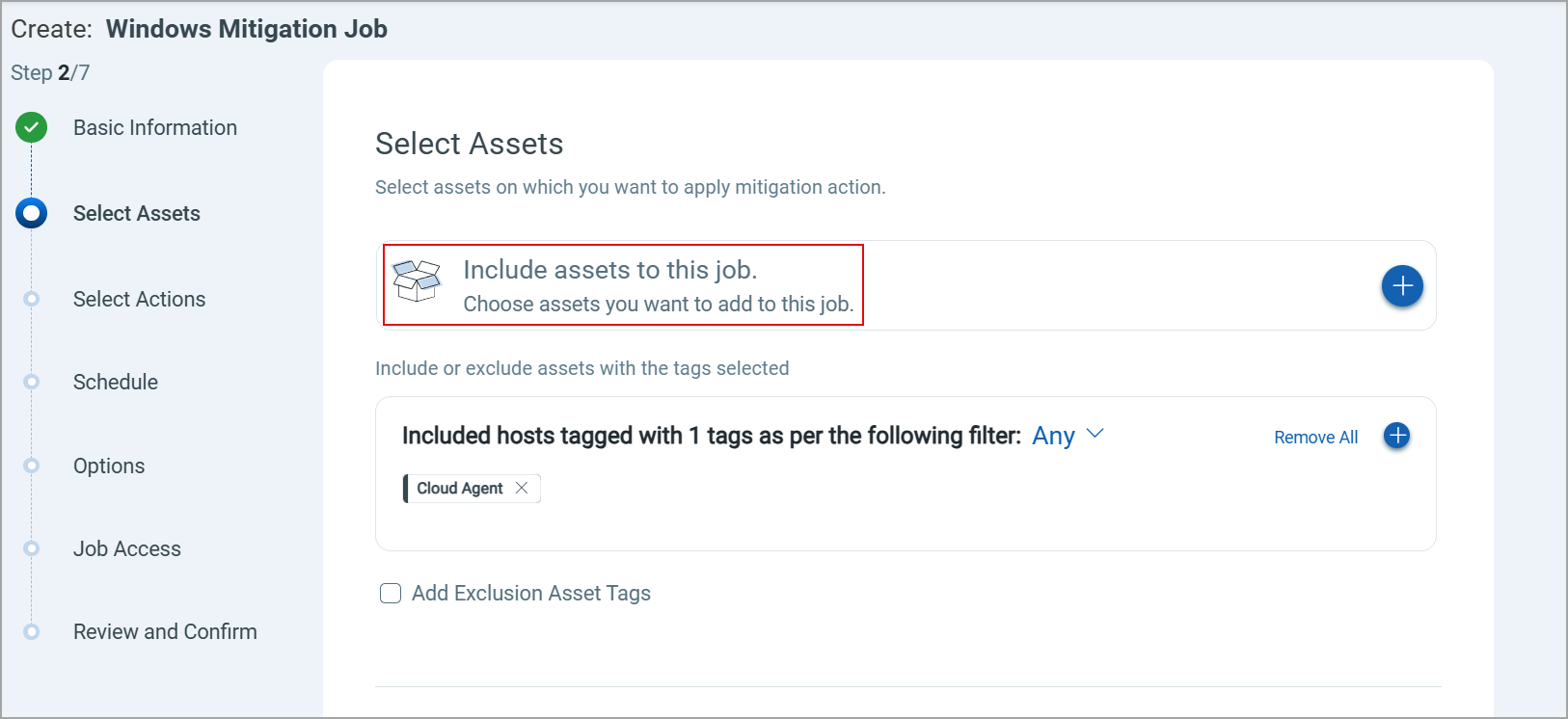
You can now add mitigation enabled assets when creating a mitigation job from the VMDR > Prioritization tab. This enhancement allows you to include individual assets to the mitigation job, providing more flexibility and control over the job creation. Earlier, you could include only asset tags in the mitigation job.
Extended Randomized Download Time
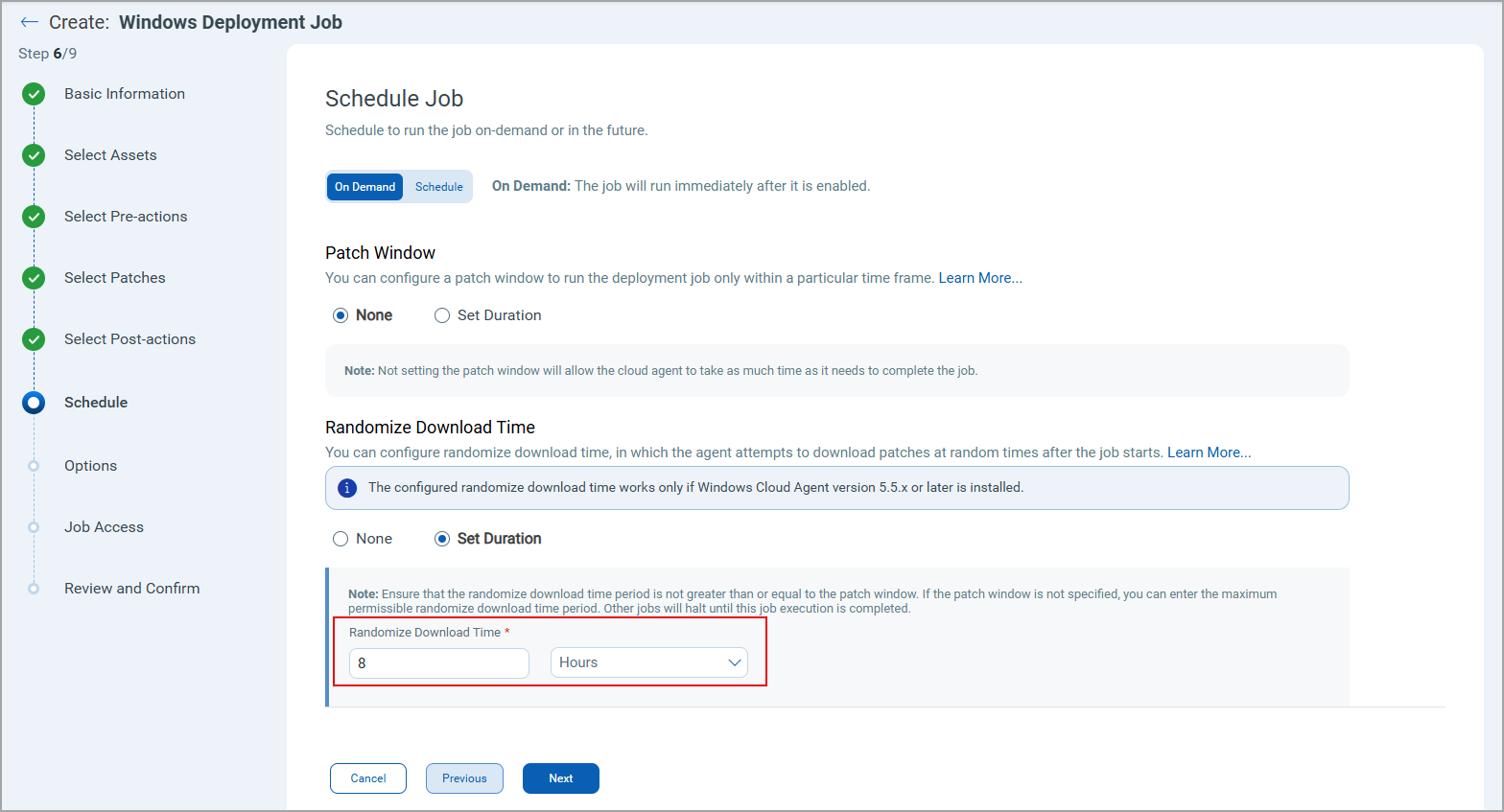
The patch download start time window has been extended from 2 to 8 hours, allowing better distribution of patch download schedules across large asset deployments. This enhancement prevents network congestion by staggering download start times, ensuring optimal bandwidth utilization when numerous assets download patches simultaneously. It also allows Cloud Agent to download patches over a longer interval, making it suitable for patch jobs that deploy a large number of patches.
To set this value, while creating a Windows deployment job, navigate to the Schedule tab, and under Randomize Download Time, select the Set Duration option and enter the value.
Support Added for Linux OS
We have now support patching for the following versions of Linux Operating system:
- Support patcing for Ubuntu 24.10, 25.04, RHEL 10 and OEL 10 assets with ARM architecture.
- Support patching, mitigation, isolation, patch rollback, mitigation rollback, isolation rollback and NSU for Oracle Enterprise Linux 10.x assets.
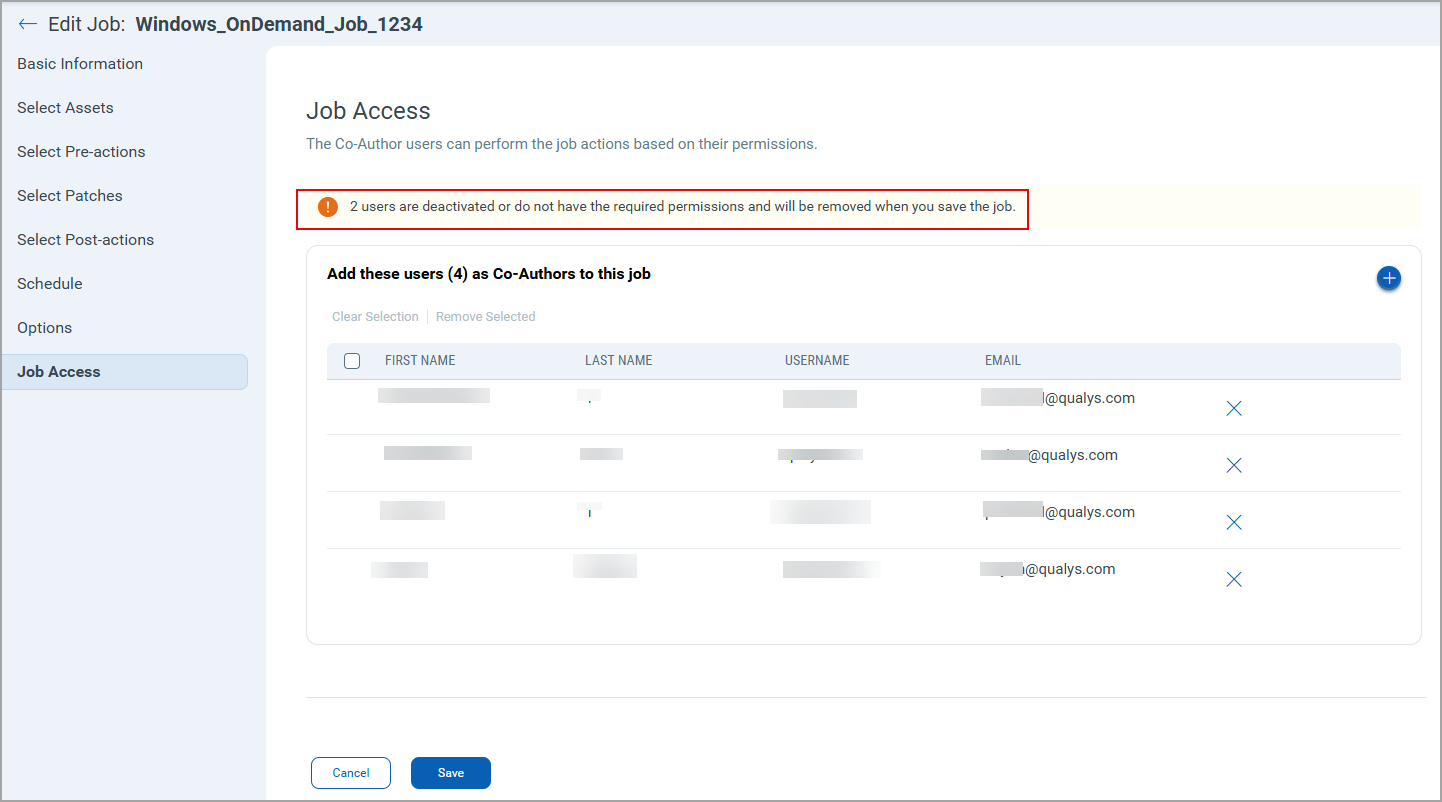
Auto-Validation and Extended Limits for Deployment Job Co-Authors
When a deployment job is saved, automatic validation is performed to ensure that only active users and users with appropriate permissions are added as co-authors. Any deactivated users or users without appropriate permissions are removed.
You can now add up to 200 co-authors per deployment job. This validation and limit apply to Windows, Linux, and macOS platforms.
New QQL Tokens
Refer to the following table to learn more about the new and updated tokens in this release.
| Tab | Token (New) | Usage |
|---|---|---|
|
job.owner.fullName |
To find the jobs that has specified job owners/creaters full name. |
|
job.owner.userName | To find the jobs that has specified job owners/creators user name. |
Issues Addressed
The following reported and notable customer issues are fixed in this release.
| Component/Category | Description |
|---|---|
| PM - UI | The Assets tab incorrectly displayed multiple IP addresses for assets. This issue has been fixed, and we now display only single IPv4 address for those assets. |
| PM - UI | An issue where the UI was slow to respond when entering text in the Name and Description fields during report generation has been resolved. |
| PM - Job Windows | An issue where users without the required permission could save and enable a patch deployment job has been fixed. Now, only users with the permission to enable the job can enable jobs. |
| PM - Job Windows | Previously, there was no limit on the number of co-authors in a deployment job. Each deployment job can now include up to 200 co-authors, restricted to active users. |
API Release Updates
For more details on the API updates for this release, see Patch Management API Release 3.12.